Finding what to change
Okay, we covered how UE4SS and FModel work earlier, so let's use them to help us prevent player suffocation (when oxygen runs out) and starvation. The goal is to find the right properties to modify - and finding them requires a bit of detective work.
Fire up the game and click into the UE4SS window.
Starting with Live View
Click the "Live View" tab. The first thing I did was search for "Player" - which, as you might expect, returns a lot of results. To cut through the noise, right click in the search box and enable "Instances only". This filters out abstract class definitions and shows only actual live objects in the running game.
With that enabled, the results are much more manageable, and a cluster of results starting with "SN2Player" stands out immediately. Refining the search to "SN2Player" and then further to "SN2PlayerCharacter" quickly brings up the player character instance:
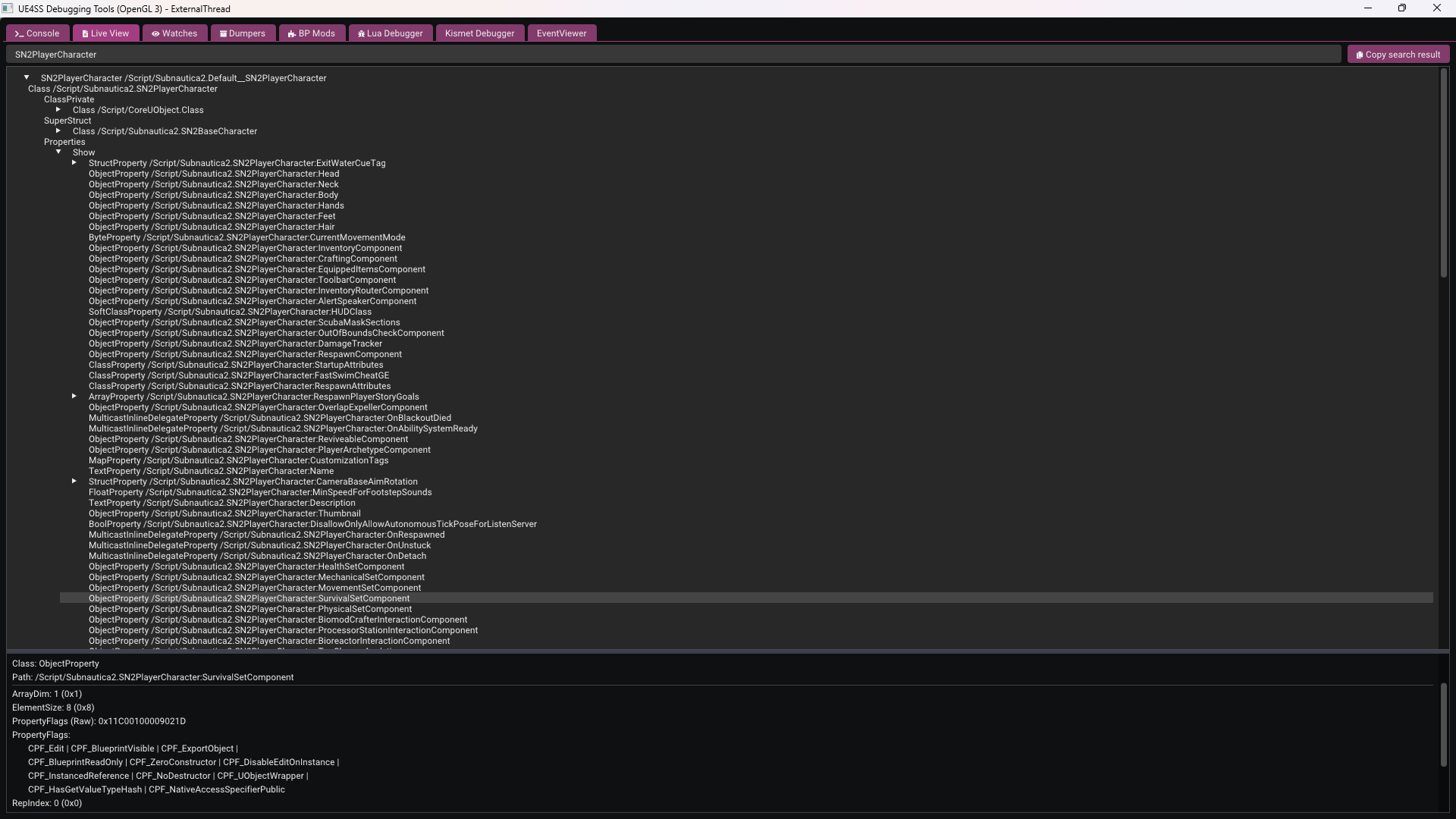
Expanding the instance to explore its properties, two components catch the eye straight away: HealthSetComponent and SurvivalSetComponent. Both sound very promising for what we're trying to do.
Crossing over to the Lua types
The Live View doesn't expose float values directly on these components, so let's switch over to the generated Lua type files in VS Code. Using "Find in Files" and searching for "SurvivalSetComponent", the results point immediately to UWEAbilitySystem.lua. I think we might be getting somewhere!
Open that file and search for "Oxygen". This reveals the class UUWESurvivalSetComponent, which has fields for Oxygen, Food, and Water, getter functions including GetOxygen and GetMaxOxygen, as well as equivalent functions for food and water: GetFood, GetMaxFood, GetWater, and GetMaxWater. This looks really promising!
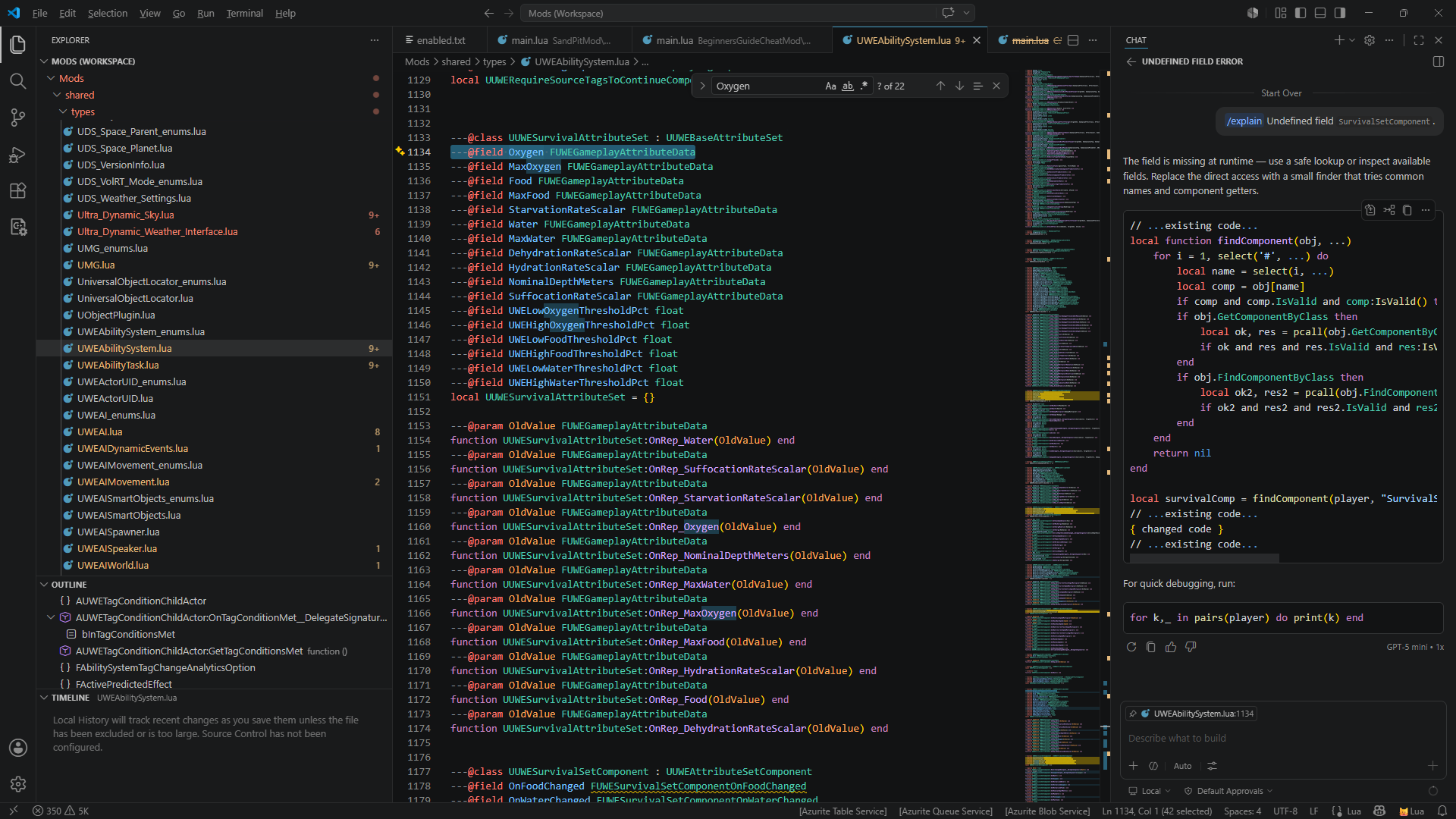
That confirms we're in the right place - the survival attributes we want to manipulate are all here in UWESurvivalAttributeSet.
Confirming the right instance
Back in UE4SS Live View, search for UWESurvivalAttributeSet. There are a lot of results, right? It looks like all the creatures and characters in the game use this component, which makes sense. Luckily, the first or second result looks very much like it belongs to our player character, given the name:
UWESurvivalAttributeSet /Game/Maps/Main/L_Main.L_Main:PersistentLevel.BP_Character_01_C_2147480202.UWESurvivalAttributeSet_2147480194
Two useful things jump out from that path. First, it confirms that the attribute set for our player lives on BP_Character_01_C - the player character blueprint we looked at earlier in FModel. Second, the numbers appended to the name are instance identifiers generated at runtime, which means we can't rely on the full path staying the same between sessions. Instead, we'll need to search for instances of UWESurvivalAttributeSet and filter by "BP_Character_01_C" in the name to reliably identify the player's attribute set at runtime.
What we now know
Working through this process, we've established:
- The player's survival data lives in a
UWESurvivalAttributeSetcomponent on the player,BP_Character_01_C. - The properties we want to control are
Oxygen,Food, andWater, each with a corresponding Max value. - To find the right instance at runtime, we search for
UWESurvivalAttributeSetand filter by "BP_Character_01_C" in the full name.
With that, we have everything we need to write the mod. Let's do that now!