Commit to Github
Now that you have a working mod, we can commit the code to the Github repository that we created earlier.
Before we do, we'll need to tweak our repository config a little:
-
Run GitHub Desktop.
-
If not already selected, select your "Subnautica2Mods" repository from the drop down.
-
You'll see a load of files marked with a green "+" symbol. These are new files that GitHub Desktop has identified, but we don't want to check all of those into our repo.
-
In your repo folder,
\SubnauticaMods\, there is a file called.gitignore. Find it and open it in VS Code. -
Right at the bottom of the file, add these lines to ignore all files in the shared folder:
-
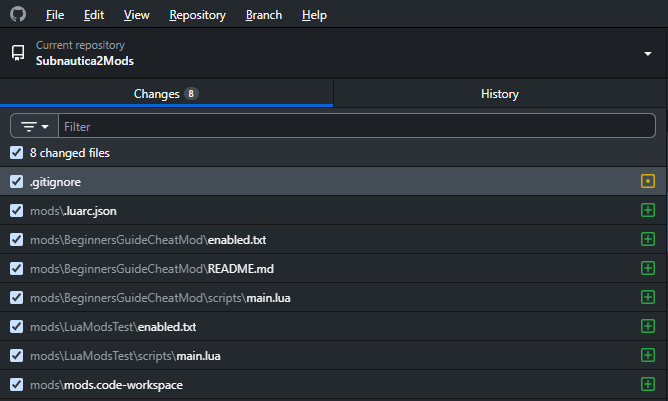
Now go back into GitHub Desktop and you'll see a bunch of files disappear, leaving only your mod and config files:
-
In the bottom left, enter a summary of what you've done: "Created my first mod" or something similar.
-
Click the "Commit files to main" button.
You've created your first mod and commited the source to your GitHub repository - good work!